
What is bleed?
Bleed is the extra artwork that extends beyond the finished edge of your card. It is deliberately added to your print file and then trimmed away during production.
It might sound strange to include part of a design that will be cut off, but that extra area is important. It allows backgrounds, colours and images to print cleanly right to the edge of the finished card.
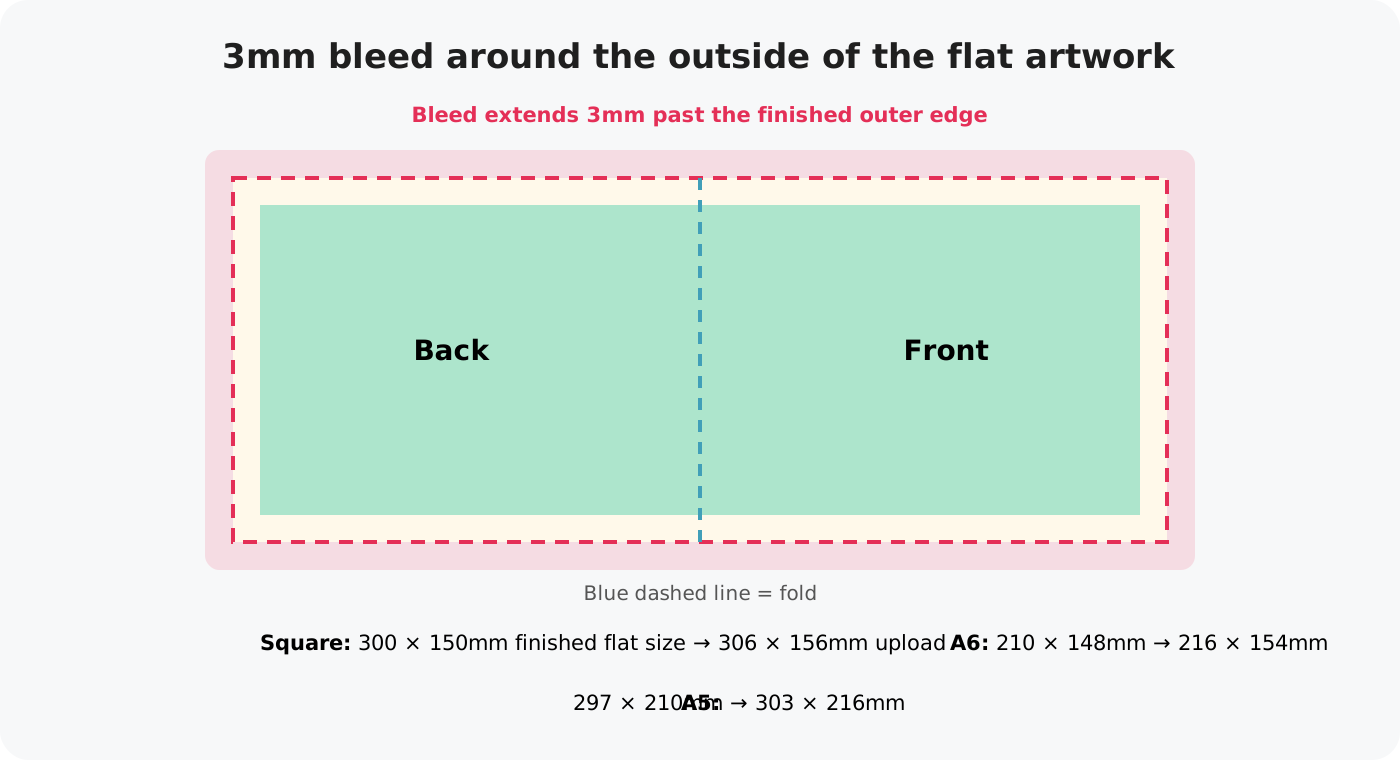
Your print-ready artwork should include 3mm bleed around the outside edges of the flat card artwork.
Why do we use bleed?
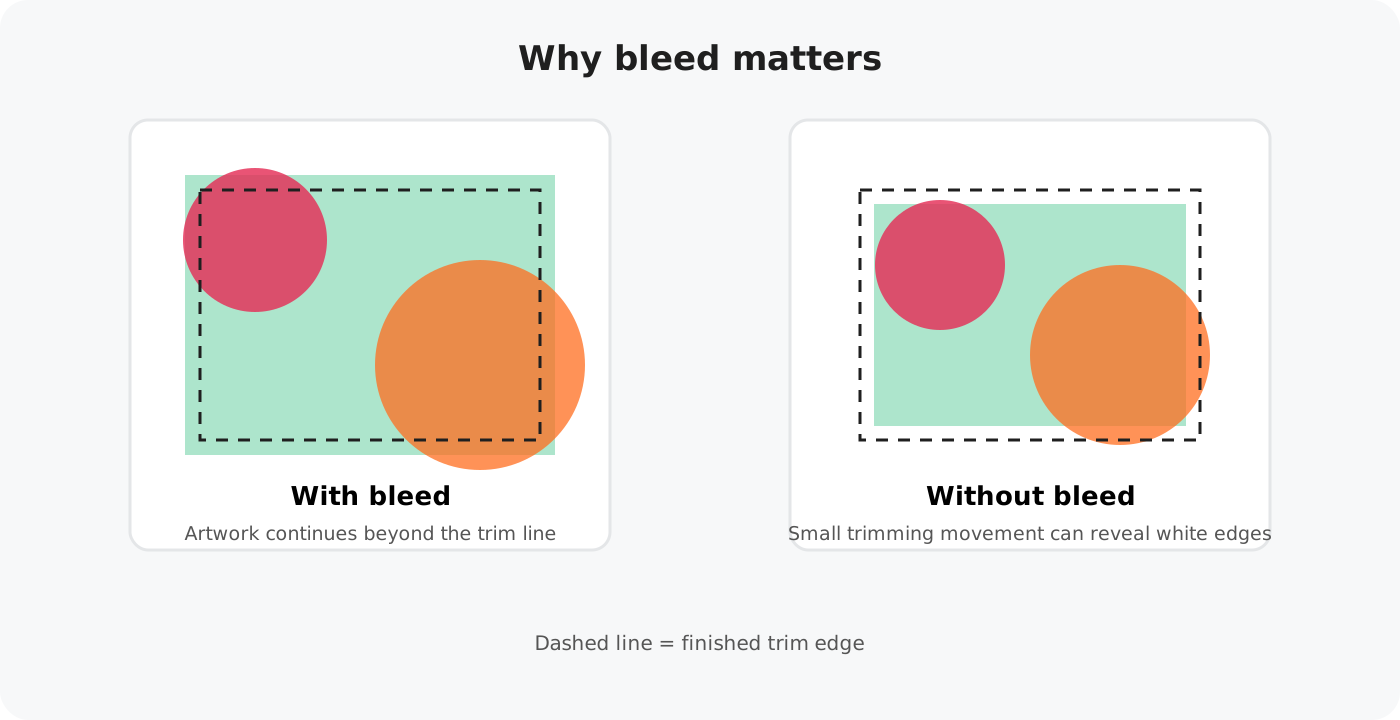
Greeting cards are printed on larger sheets and then cut down to their finished size. There can be a very small amount of movement when printed sheets are trimmed.
If a background colour or image stops exactly at the trim line, even tiny movement can leave an unwanted white edge. Extending the background into the bleed gives us a little extra artwork to trim through, helping the finished card look clean from edge to edge.
How much bleed do I need?
For Connect artwork, use 3mm bleed around the outside edges. This means the upload file is slightly larger than the finished flat card size.
Finished flat size: 300 × 150mm
Upload size: 306 × 156mm
Finished flat size: 210 × 148mm
Upload size: 216 × 154mm
Finished flat size: 297 × 210mm
Upload size: 303 × 216mm
What should extend into the bleed?
Anything that is meant to reach the edge of the finished card should continue all the way through the bleed area.
Extend edge-to-edge colours through the full bleed.
Photos, illustrations, textures and patterns that touch an edge should continue past the trim line.
Anything intentionally running off the edge should extend into the bleed too.
Where possible, extend or continue the background itself. Stretching the whole design can distort text, illustrations and other elements.
What should stay away from the edge?
Bleed is for backgrounds and elements that are meant to run off the card. Important content should stay comfortably inside the finished edge.
Keep names, messages and wording safely away from the trim edge.
Do not position logos or branding in the bleed area.
Faces, small illustrations and anything that must remain visible should sit safely inside the design.
A note about borders
We recommend avoiding thin borders close to the edge of a card. Even when the artwork includes the correct bleed, a small amount of trimming movement can make a border appear slightly uneven.
If a border is an important part of the design, keep it well inside the trim edge and make it wide enough that tiny variations will not be noticeable.
Before you upload your artwork
Use this quick checklist before adding a design to Connect.
Our templates are already set to the correct Connect artwork dimensions, making it easier to start with the right file size.
The simple rule to remember
If it should reach the edge, extend it into the bleed. If it must not be cut, keep it safely inside the edge.
Once your artwork includes the correct 3mm bleed, you can upload it to Connect and use the artwork preview to check the front, back, fold and bleed areas before saving the design.
Read the Upload Artwork Guide