
Choose your artwork template
We've created templates for each Connect card size so you can start with the correct artwork proportions rather than building the document from scratch.
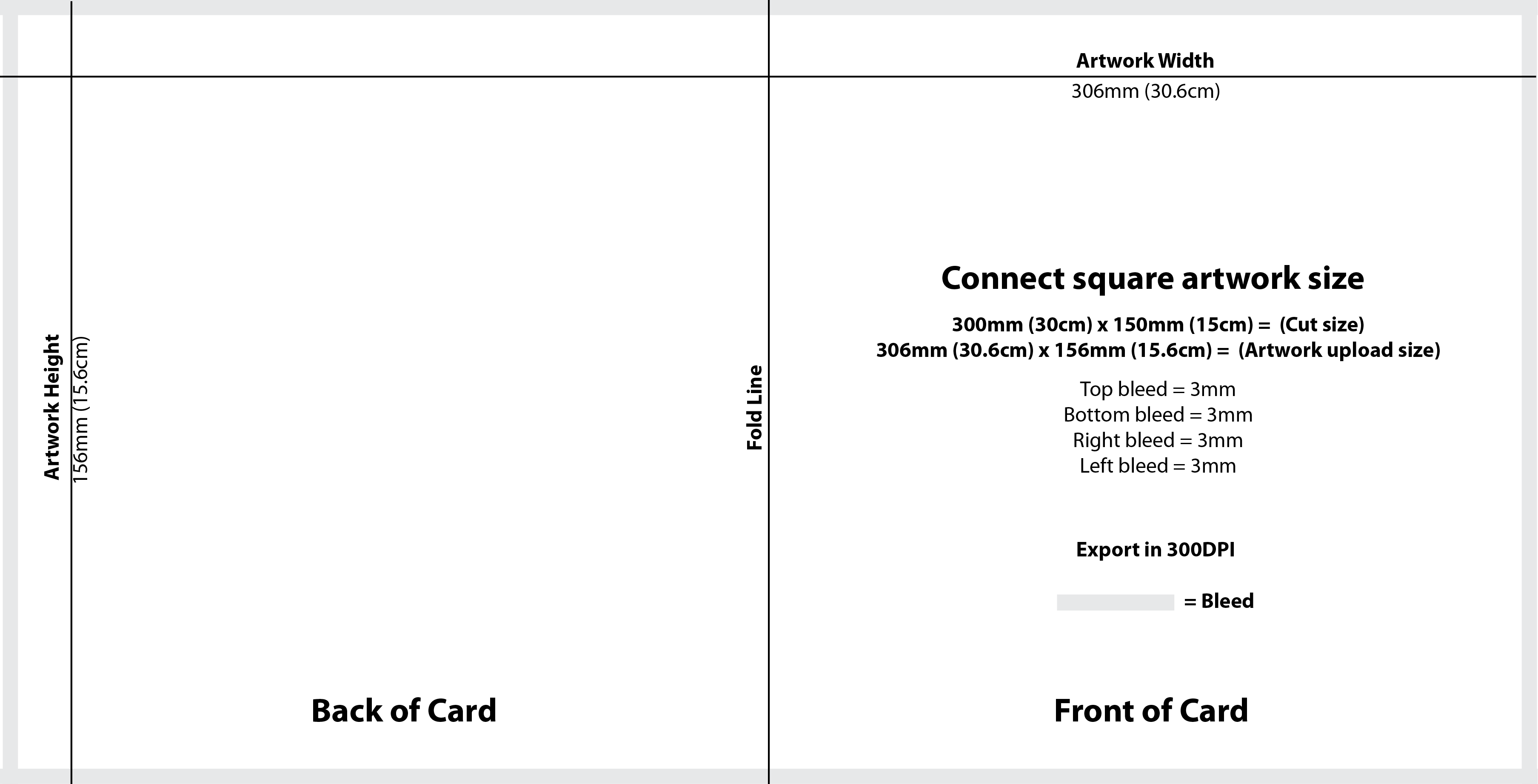
306 × 156mm
flat artwork size
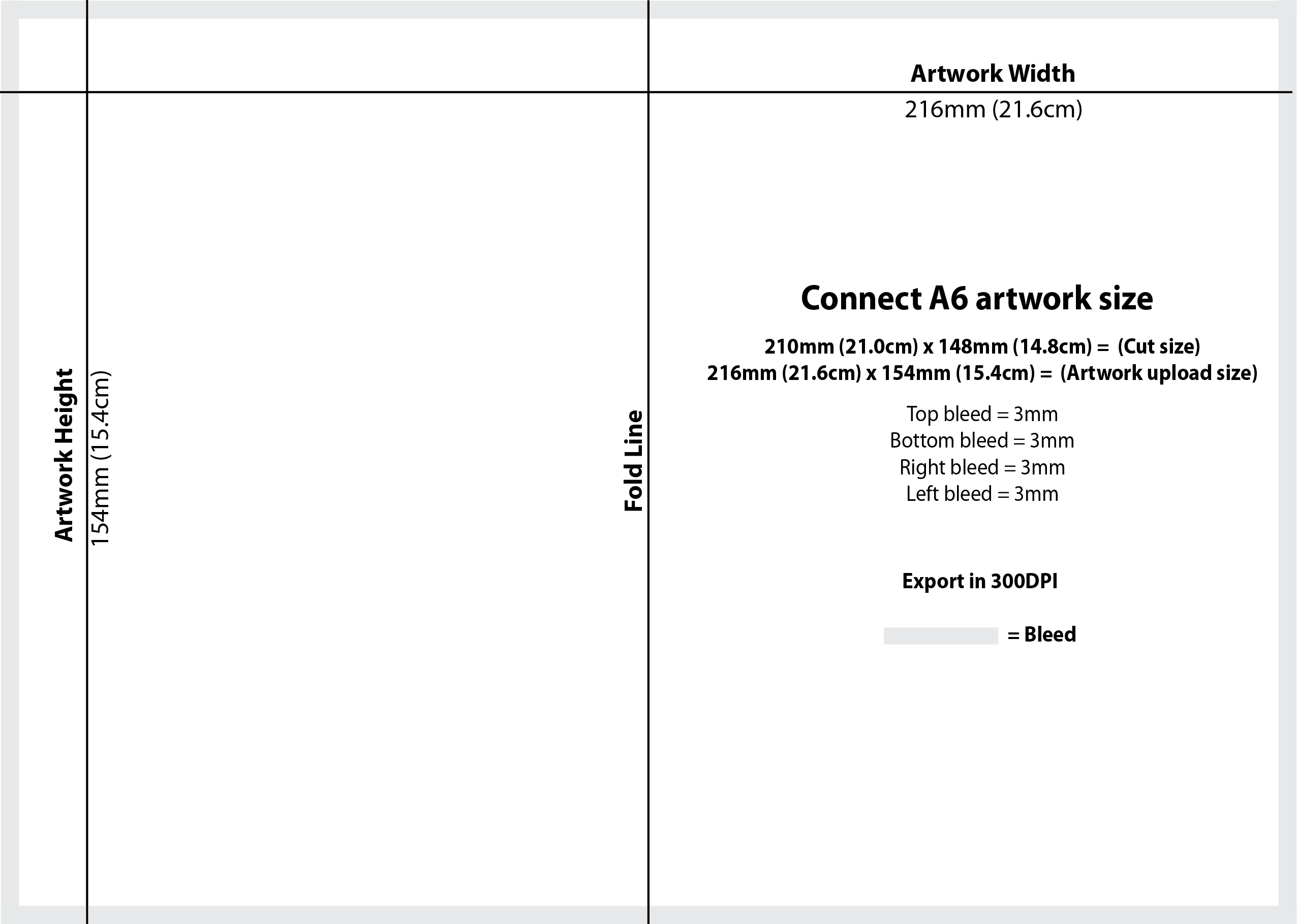
216 × 154mm
flat artwork size
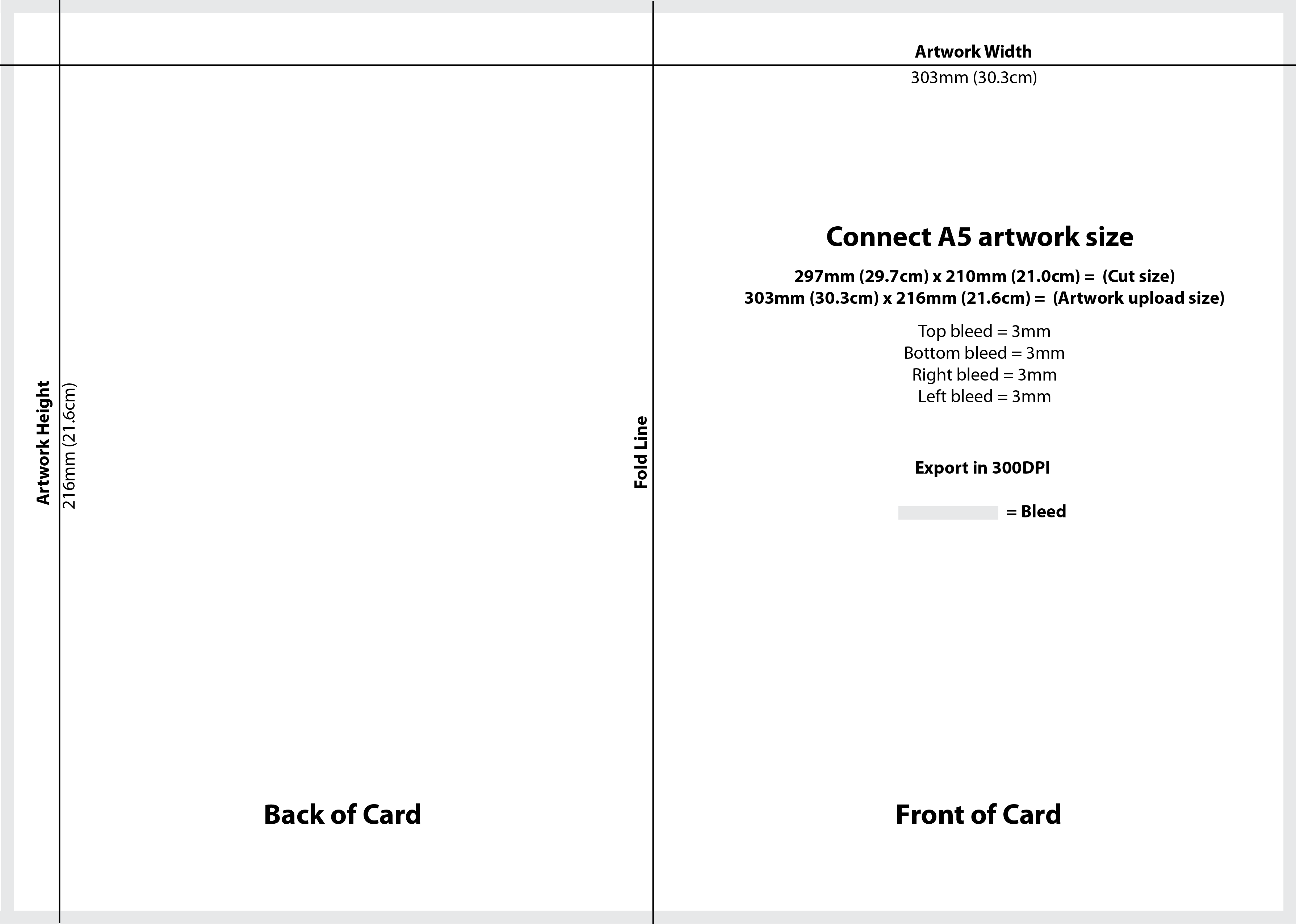
303 × 216mm
flat artwork size
Each template contains the complete flat card spread, including the front, back and the required outer bleed.
Canva templates
If you design in Canva, use one of the template links below. Opening the template creates a version you can work from without altering our original template.
Exporting your artwork from Canva
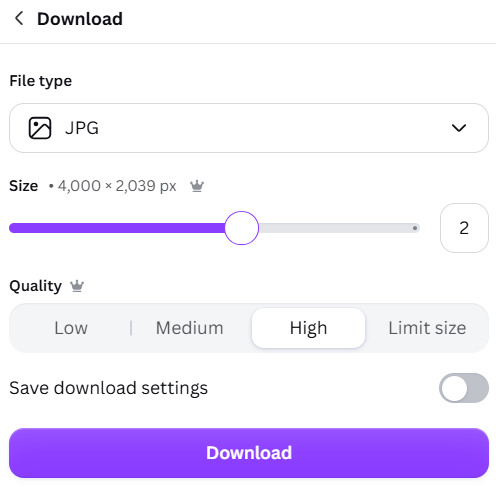
When your design is finished, choose Download and select JPG. The screenshot below shows the recommended setup: the size control is set to 2× and quality is set to High.
Open the downloaded JPG and make sure the design looks as expected. If you're working from one of our templates, keep the artwork proportions unchanged.
Adobe Illustrator templates
If you work in Adobe Illustrator, download the editable AI template for your card size.
Exporting a JPG from Illustrator
When exporting your finished artwork as a JPG, use the settings shown below: RGB colour model, Maximum / 10 quality, Baseline (Standard) compression, High (300 ppi) resolution and Type Optimized (Hinted) anti-aliasing.
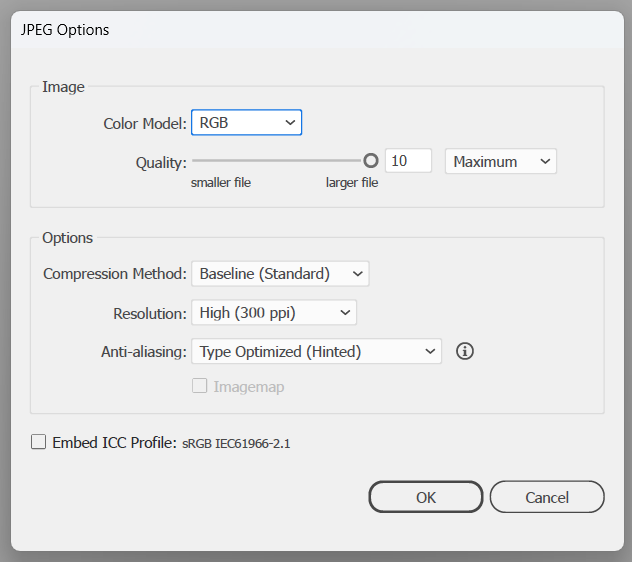
These settings produce a high-quality RGB image ready for the Connect artwork workflow.
PDF templates
Prefer a PDF reference template? Download the correct size below.
PNG templates
We also provide PNG versions that can be used as a visual reference or imported into compatible design software.
Before you upload
Ready to upload?
Once your artwork is exported, use our upload guide for the next steps. If you want to understand the full print-preparation process first, our Print-Ready Artwork guide brings all of the checks together.
How to Upload Your Artwork